
Quote, estimate and proposal templates
Every quotation starts from a ready layout that you fill in online. Use it as a free quote template without signing up, or sign in to choose a design and a document title. Totals and tax are worked out for you.
Three built-in designs
A design sets the look of the first page: the layout, the font, the header and the accent colour. What the quotation says stays the same. Each one is a business quote template you fill in online, not a file to download.
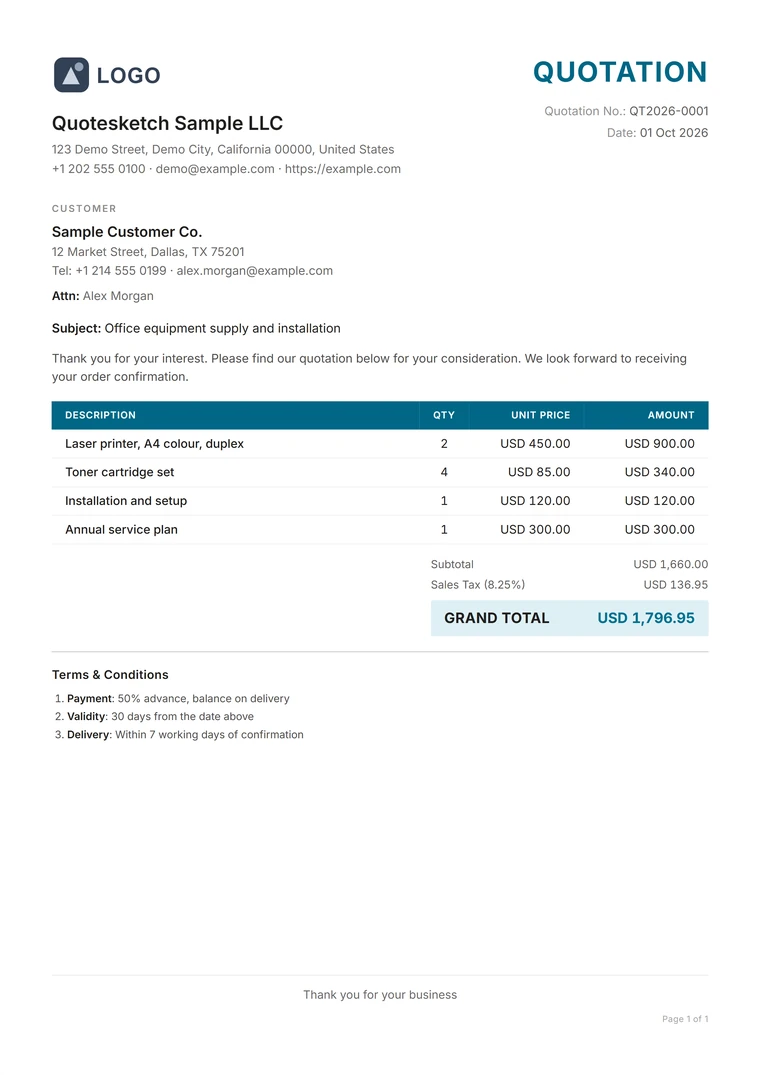
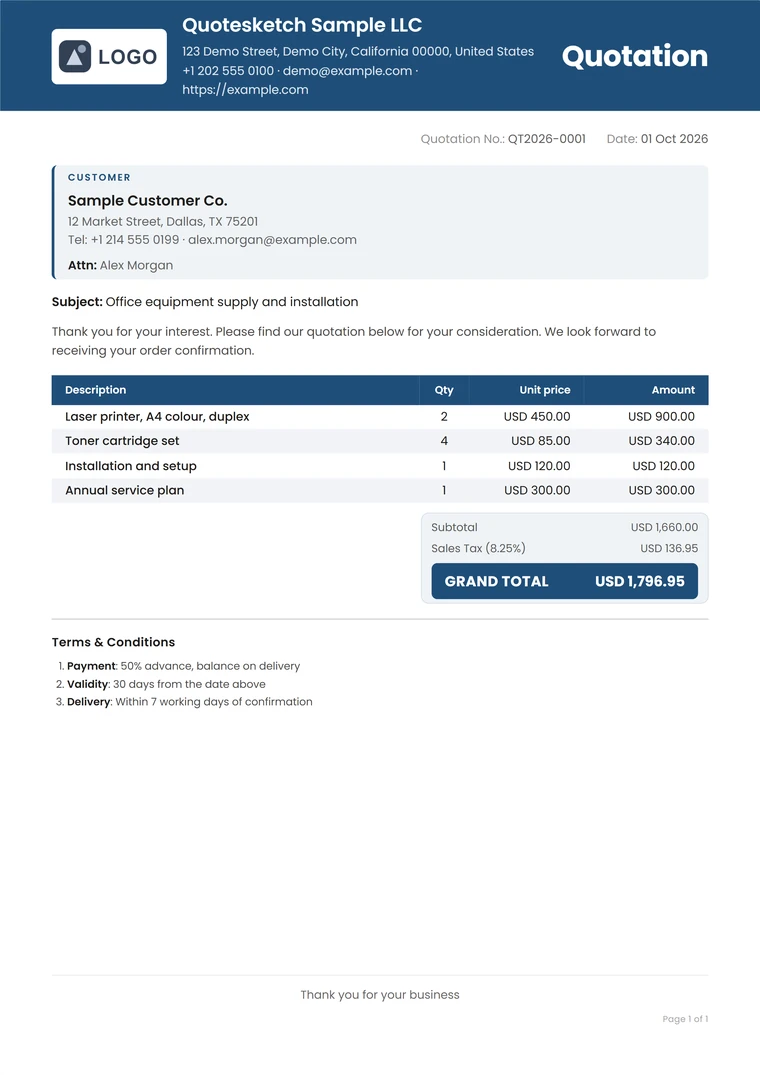
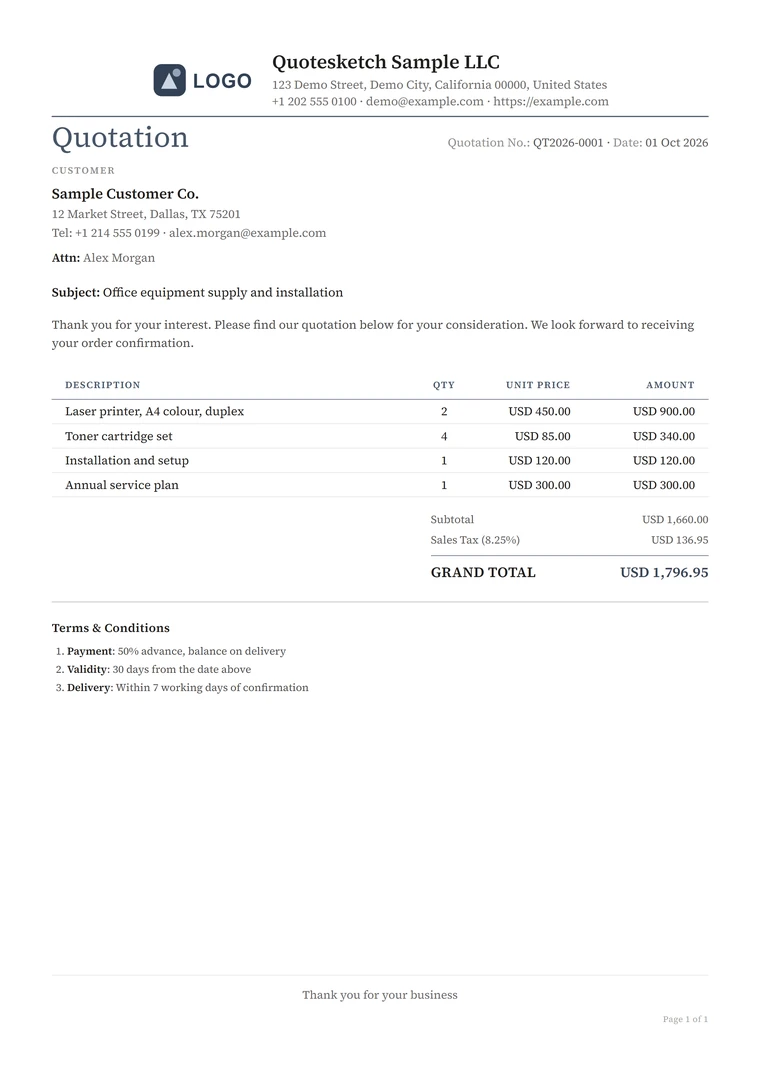
Classic works without an account. Sign up free to use Modern, Minimal or your own design.
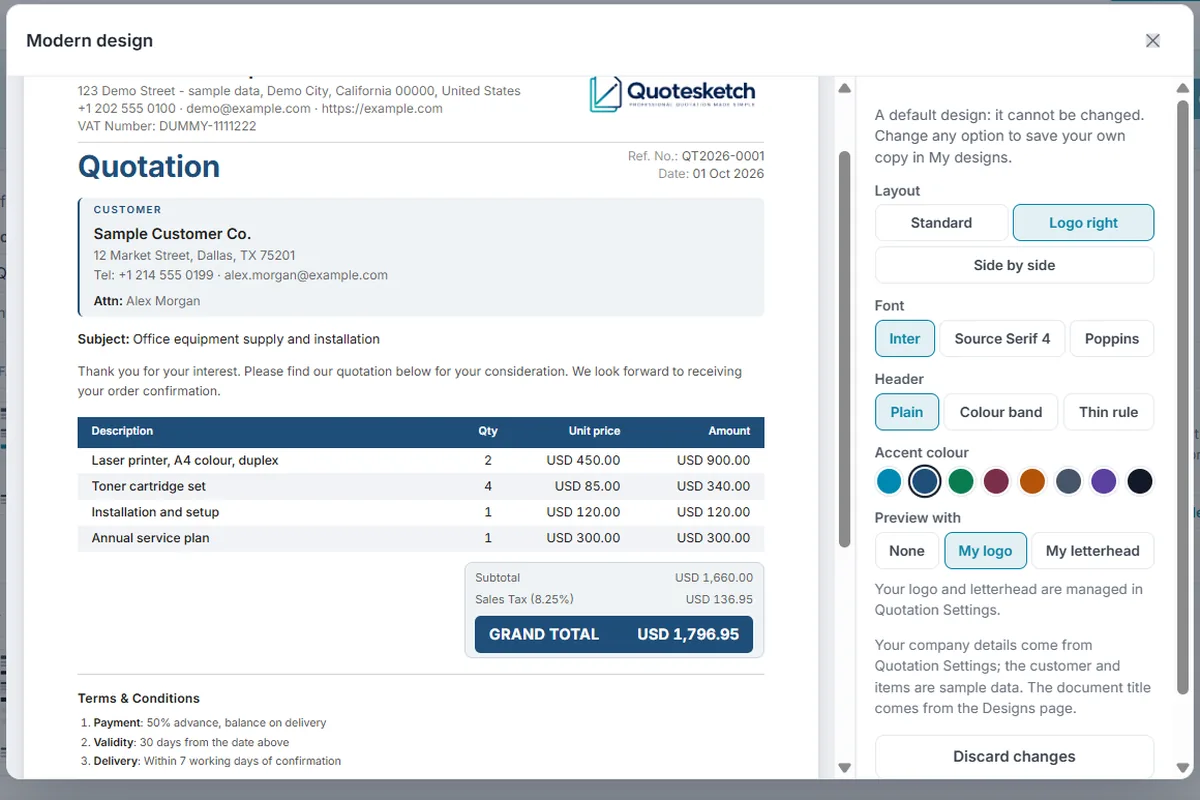
My designs
Start from any design and change the layout (Standard, Logo right or Side by side), the font, the header and the accent colour. Keep up to three designs of your own.
- Set one as the default and every new quotation starts in it
- Each quotation keeps its own design, so changing one later never restyles quotations you have already made
Document titles
Signed in, pick a ready title or type your own. Set it to Estimate and the same layout works as an estimate template; set it to Price Offer and it reads as a price quote template. Choose Proposal and it works as a free business proposal template, with additional pages for the scope of work and specifications.
Free quote template: Word, Excel or online?
QuoteSketch templates open in the online Builder; there is no Word or Excel file to download. Here is how an online template compares with one.
| Task | QuoteSketch | Word or Excel template |
|---|---|---|
| Totals and tax | Calculated as you type | Worked out by hand or by formulas you maintain |
| Your details | Entered once, filled in on every quotation | Copied from the last document |
| Clients and items | Picked from a search box | Retyped or pasted |
| Layout | Page breaks handled, the PDF matches the preview | Can shift when the content changes |
Pick a design and write your first quotation
Try the Builder without an account using the Classic quotation template, or sign up to use every design.