
Quotation format: a sample and what to include
A quotation is a price offer you send a customer before the work starts or the sale is made. It sets out what you will supply, at what price and on what terms, so the customer can accept it or ask for changes. It is not a tax invoice: the invoice comes later, once the order is placed.
Sample quotation format
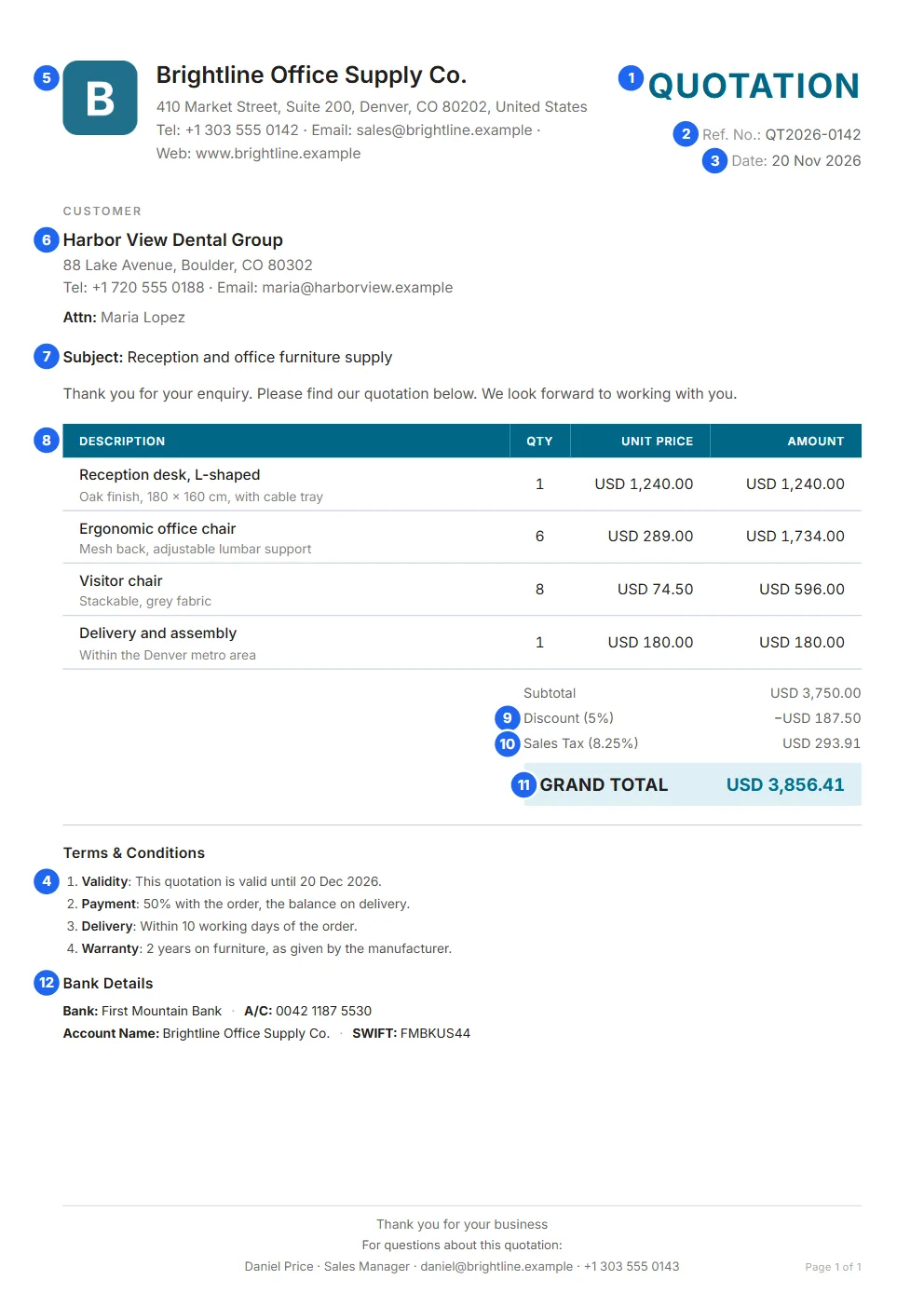
This is a real quotation made in the QuoteSketch Builder, with its twelve parts numbered. The numbers match the list below. The company and the customer are made up.
What to include in a quotation
Twelve parts cover almost every quotation, from a single product to a large project. Leave out what does not apply, such as a discount.
- Document title. "Quotation" at the top, so the customer knows it is an offer and not a bill. Estimate, Proposal or Price Offer work the same way.
- Reference number. A unique number such as QT2026-0142, so you and the customer can point to the same offer later.
- Date. The day you issue the quotation. The validity period counts from it.
- Valid until. How long your prices hold, as a date or a number of days. In the sample it is the first of the terms.
- Your company. Business name and logo, address, phone, email and website, and your tax number if you have one.
- Customer. The customer's company name, address and contact details, and the person it is for.
- Subject. One line saying what the quotation covers, for example "Reception and office furniture supply".
- Items table. One line per product or service: description, quantity, unit price and amount, where the amount is quantity times unit price.
- Discount. A line of its own under the subtotal, as a percentage or a fixed amount, so the customer sees the saving.
- Tax. VAT, GST or sales tax with its name and rate, worked out on the subtotal after any discount.
- Grand total. What the customer will pay, in the quotation's currency, shown clearly at the end of the totals.
- Terms and bank details. Payment terms, delivery time and warranty, then the bank account to pay into once the order is confirmed.
Three sample quotation formats
Each one is a real quotation from the Builder. Open the same design online, type over the sample details and download your own PDF.
Simple product quotation
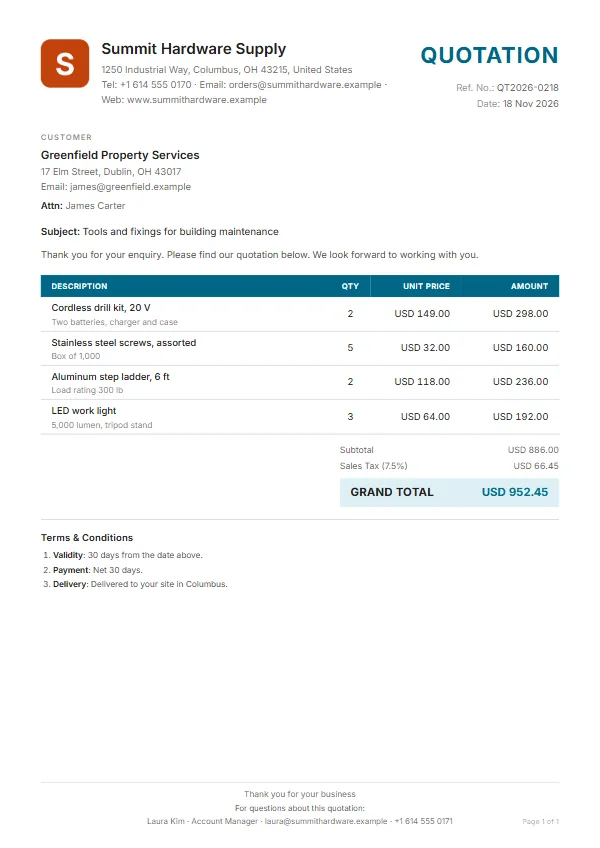
Four products with short descriptions, sales tax and net 30 payment terms. A good fit for suppliers, stores and distributors.
Make this one online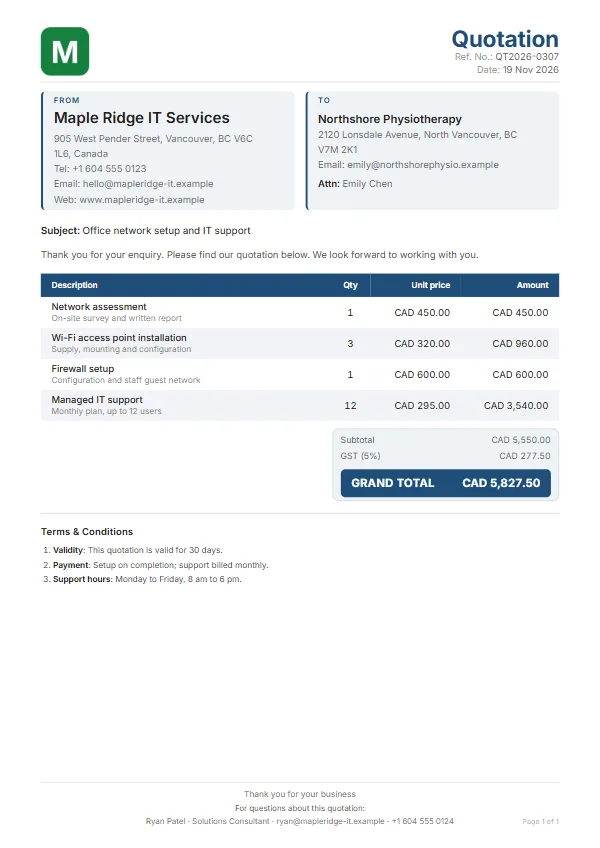
Service quotation with VAT or GST
Setup work plus monthly IT support, with GST at 5%. Change the tax name to VAT or sales tax and the rate to yours.
Make this one online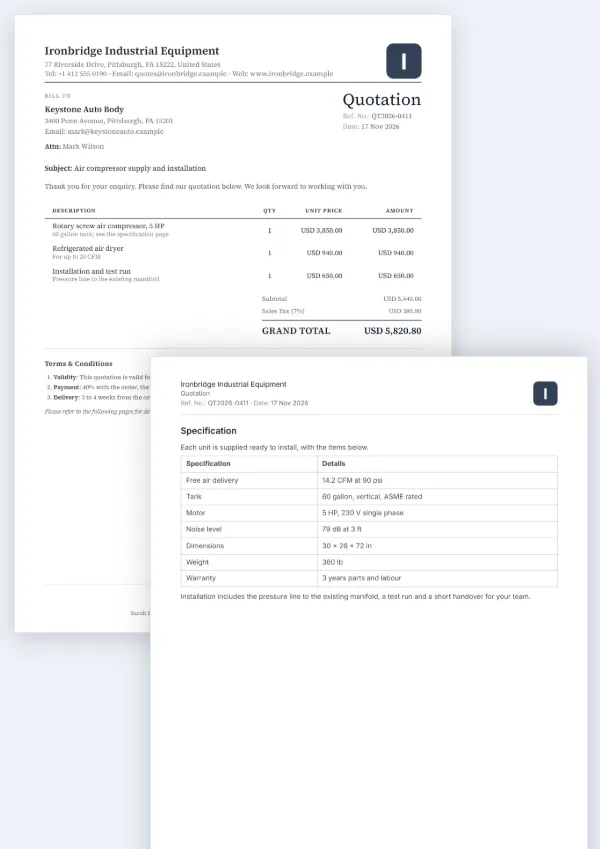
Quotation with a specification page
Prices on page 1 and the technical details on a page of their own, so the quotation itself stays short and easy to read.
Make this one onlineDownload the quotation format
The same layout as the sample, with placeholders to type over. Free to download, no sign-up. The Excel file works out each line amount, the subtotal, discount, tax and grand total; in the Word file you add the totals yourself.
Word or Excel, or online?
A file is fine when you send the odd quotation. If you quote every week, filling in the same parts online saves the retyping and the arithmetic.
A Word or Excel file
- Works with software you already have.
- You copy your details and the customer's from the last file you sent.
- In Word you add up the totals yourself; in Excel, one changed formula can change the total.
- You save each one as a PDF and keep track of the numbers and files.
Online in QuoteSketch
- Line amounts, discount, tax and the grand total worked out as you type.
- With an account, your company details, customers and items are saved and picked from a list.
- A print-ready PDF with the next reference number, in Classic, Modern or Minimal.
- Any document title: Quotation, Estimate, Proposal, Price Offer or Proforma Invoice.
Quotation format questions
What is a quotation format?
A quotation format is the layout of a quotation: which parts it has and where they sit on the page. A clear format puts your company and the customer at the top, then a reference number and date, the items with quantities and prices, the totals with any discount and tax, and the terms at the end. The sample on this page shows one.
Quotation vs invoice: what's the difference?
A quotation comes before the sale. It offers a price, and the customer can accept it or not. An invoice comes after: it asks for payment for goods or work that were ordered or delivered, and it is the document kept for tax records. A quotation is not a tax invoice. Some businesses send a proforma invoice in between, when payment is needed before delivery.
Quotation vs estimate?
A quotation usually gives a fixed price for a defined job or set of goods, valid for a set time. An estimate is an approximate price, used when the final cost depends on things not known yet, such as how long a repair will take. If you send an estimate, say that the final price may change.
How long should a quotation be valid?
There is no single rule. Many businesses use 15, 30 or 60 days. A shorter period suits prices that change often, such as materials, fuel or exchange rates. Whatever you choose, write it on the quotation, as a date or as a number of days from the date of issue.
Should a quotation include tax?
It is clearer to show it. List the subtotal, the tax name and rate (VAT, GST or sales tax) and the total with tax, so the customer sees what they will pay. Which taxes apply, and at what rate, depends on your country and on what you sell, so check with your accountant or tax office.
Make your quotation online
Start from the sample in the Builder, change the design or the document title, and download the PDF. No sign-up needed.